Connect weclapp
Connect your business account once, then choose which projects and people may use it.
Before you start
You need workspace owner or administrator access to create a connection. Have your company’s weclapp address and an API token ready. An API token is a credential that lets Steward access your weclapp account. Ask your weclapp administrator for help obtaining the right token if needed.
Add the connection
- Open Settings → Connections.
- Select Connect a tool.
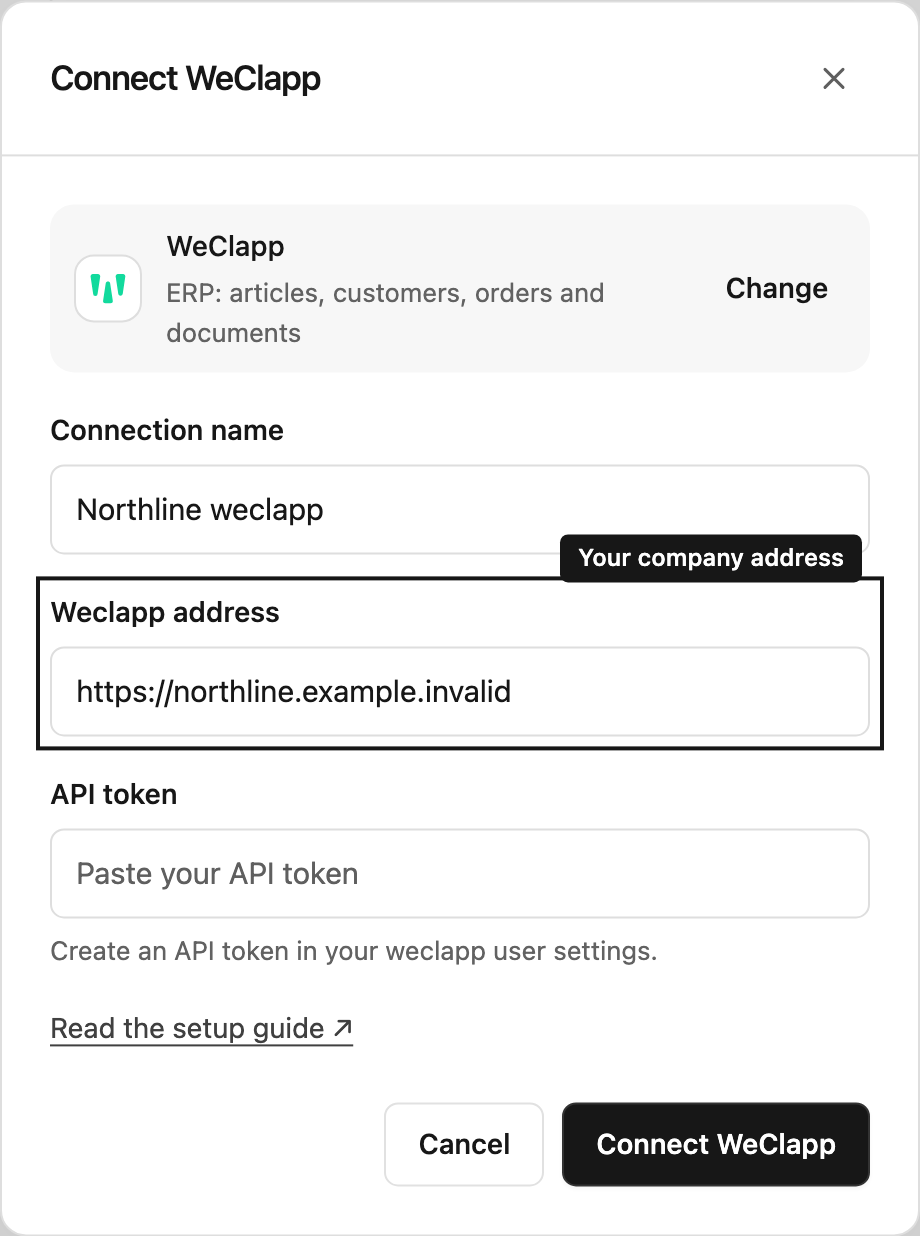
- Choose WeClapp and give it a recognizable Connection name, such as “Northline weclapp”.
- Enter your Weclapp address, such as
https://your-company.weclapp.com. - Paste the API token into its password field.
- Select Connect weclapp.
Steward stores the connection in this workspace. It does not display the saved token back to you.
Connection access controls project setup: Use in projects lets a project manager add the connection to a project. Configure maintains credentials and approval rules; Grant manages this setup access. Workspace owners and administrators have all three. Joining a project does not let a member add its connections to other projects or manage credentials.
Test it, then enable it
On the connection card, select Test and read the result. A successful test confirms that the connection works; it does not automatically add it to every project.
Enable the connection for a project, then invite colleagues to that project with the appropriate project role. They can use the configured connection without a separate connection grant.
Change an existing connection
Select the pencil button at the top right of the connection card to update its name, address, or token. Leave the token field blank to keep the saved token. If you change the address, enter the token again: a saved token is never sent to a new address. Save your changes and test the connection again.
People with Configure permission can maintain an existing connection. Giving someone Configure access is separate from allowing them to approve business changes.
If you cannot connect
Check that the address belongs to the intended weclapp account and that the token is current. If Connect a tool is missing, ask a workspace administrator to create the connection. See connection troubleshooting for the checks to make next.
Ready to use API defaults
Project members use the connections enabled for their project without a separate connection grant. Viewers follow results and download shared files. Contributors ask questions and prepare changes. Managers also approve changes. Chat modes, connection approval rules and the business tool’s own access limits still apply.