Prepare your Shopify app
Find the app creation and scope controls in Shopify’s Dev Dashboard before connecting your store.
Use the store’s organization
Open Shopify’s Dev Dashboard and select the organization that owns the store. Client ID and secret authentication requires the app and store to belong to the same organization.
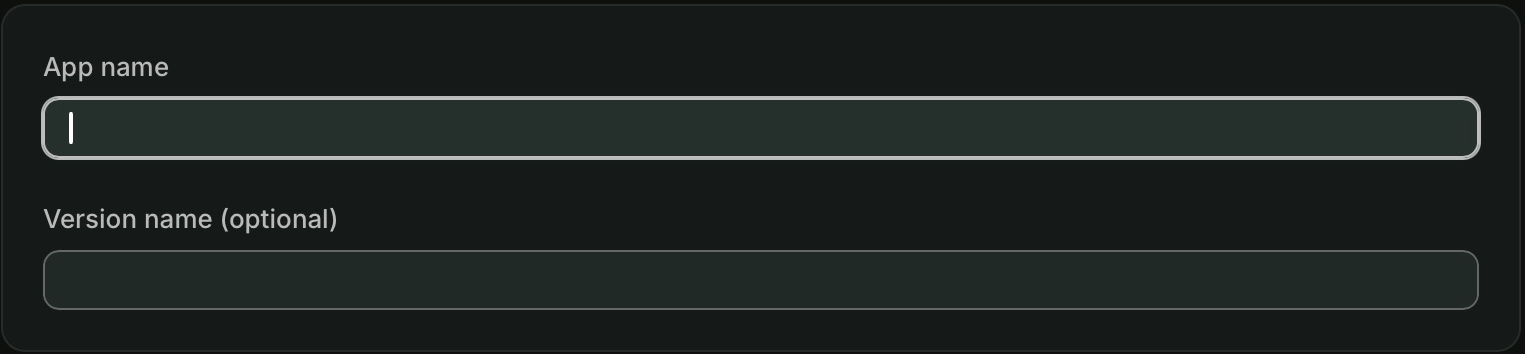
Open Apps → Create app and use the dashboard creation option. Enter an App name, such as “Steward connection”. The Version name is optional.
Set API access
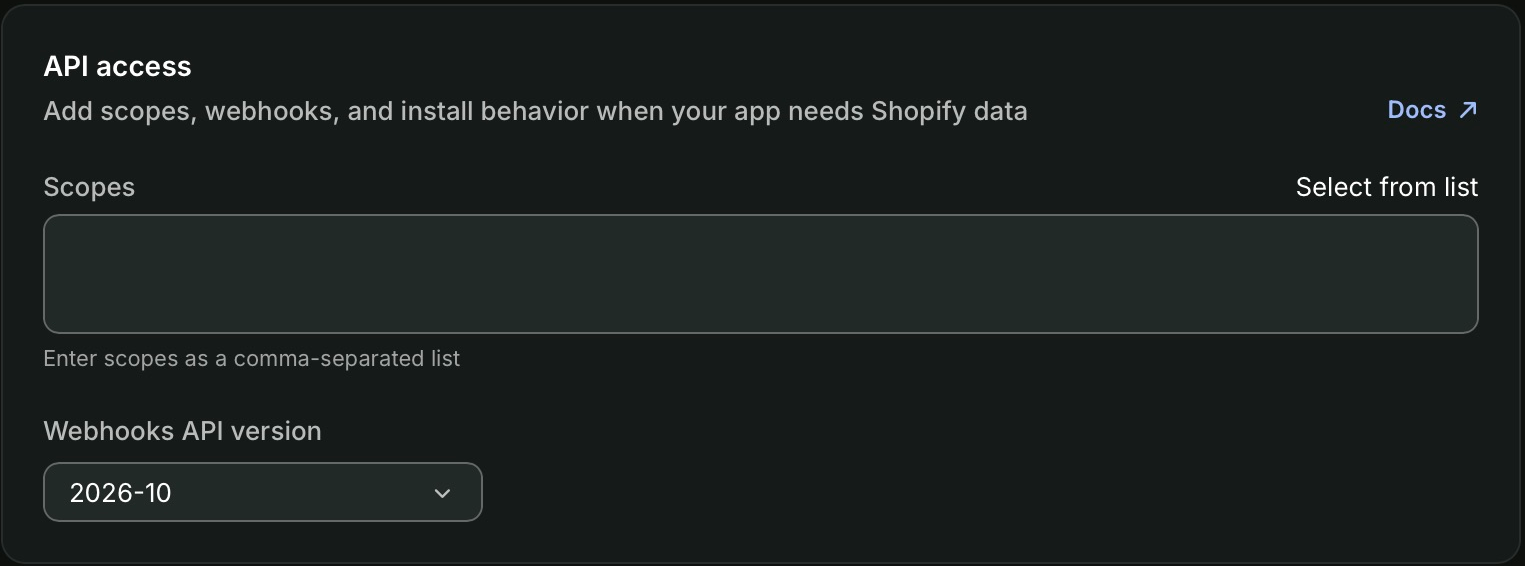
Find API access → Scopes on the app creation or version configuration form. Enter comma-separated scope handles, or choose Select from list. For example, read_products supports product reads, while write_products supports ordinary product edits as well as reads.
Select scopes for your actual tasks using Shopify access and limitations. Avoid adding access your team does not need. No webhook or external data destination is needed for the Steward connection.
Release and install
Create the app, release the configured version, then install it on the intended store. Shopify displays the requested access during installation. Return to App settings → Credentials to obtain the Client ID and Client secret. These credentials also appear on the app’s Overview.
Use the complete Connect Shopify guide to enter credentials in Steward, test detected access, and enable the connection for your project. Keep secrets private and outside shared conversations or screenshots.