Shopify access and limitations
Choose Shopify scopes for your tasks and understand approval, order history, protected data, and fulfillment restrictions.
Two sets of access apply
Project members use the connections enabled for their project without a separate connection grant. Viewers follow results and download shared files. Contributors ask questions and prepare changes. Managers also approve changes. Chat modes, connection approval rules and the business tool’s own access limits still apply.
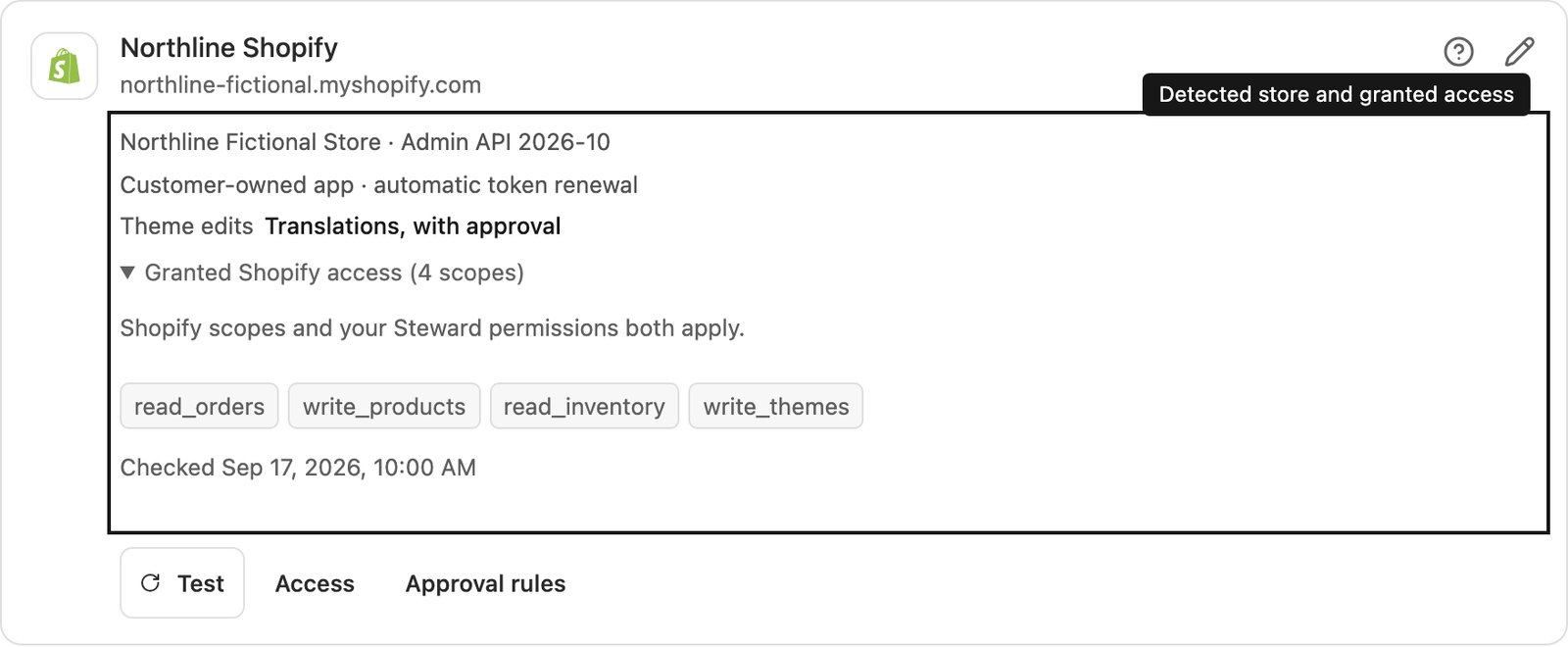
Steward detects scopes from the installed app. It refreshes them during connection setup, credential changes, Test, token renewal, and immediately before changes. Ordinary reads use a short cache. Shopify write scopes also cover reads in the same scope family.
Choose scopes by task
These are common starting points. Particular fields and operations can require additional or alternative scopes. Steward reports the required scope when it is known.
| Task | Read scopes | Write scopes |
|---|---|---|
| Products, variants and collections | read_products |
write_products |
| Customers | read_customers |
write_customers |
| Orders | read_orders |
write_orders |
| Draft orders | read_draft_orders |
write_draft_orders |
| Inventory quantities | read_inventory |
write_inventory |
| Locations | read_locations |
write_locations |
| Discounts | read_discounts |
write_discounts |
| Markets | read_markets |
write_markets |
| Selling plans | read_products |
write_products together with either write_purchase_options or write_own_subscription_contracts |
| Blogs and articles | read_content |
write_content |
| Pages | read_online_store_pages |
write_online_store_pages |
| Custom data | Scope for the owning resource | Write scope for the owning resource |
| Files in Content → Files | read_files |
write_files |
| Theme translations | read_themes |
write_themes and Shopify’s permission to edit theme files |
Use Shopify’s access scope reference for the current requirements. To change access, update and release scopes in the Dev Dashboard, update the store installation, then select Test in Steward.
Order history is limited by default
Shopify normally provides orders from the last 60 days. Older orders require approved read_all_orders access together with read_orders or write_orders. A result restricted to that window is not a complete historical report. Tell Steward the date range you need and check the limitation before using results for a historical comparison.
Protected data and store features
Customer details and other protected information can require Shopify protected-data approval. A granted customer scope alone does not guarantee that every personal-data field is available. Shopify also restricts some operations to particular plans or enabled features. Steward distinguishes these restrictions from missing scopes and invalid credentials.
Fulfillment scopes depend on whether fulfillment orders belong to the app, another fulfillment service, or the merchant. read_merchant_managed_fulfillment_orders, read_assigned_fulfillment_orders, and read_third_party_fulfillment_orders cover different ownership groups, with corresponding write scopes for supported actions. Choose the scope for the actual ownership; additional Shopify user permissions can still apply.
Purchasing a shipping label requires write_orders and the fulfillment-order write scope for its ownership group. Shipping configuration and rate fields can accept alternative scopes; follow the requirement shown for the particular operation. These alternatives do not change Steward’s approval rules.
Which changes need review
Project members use the connections enabled for their project without a separate connection grant. Viewers follow results and download shared files. Contributors ask questions and prepare changes. Managers also approve changes. Chat modes, connection approval rules and the business tool’s own access limits still apply.
Refunds, payment collection, order cancellation, fulfillment actions, publishing, deletion and customer notifications always need approval, including in Automatic mode. Replacement inputs that remove existing data also need approval. Inventory and custom-data edits without a supported comparison guard can require review.
Create draft pages and articles with isPublished: false to follow ordinary write rules. Publishing them, scheduling publication, and making draft orders visible to customers require approval. Page updates always require approval because Shopify documents publication as their default; hiding existing content also needs review. See Shopify’s page visibility reference.
Credential and token administration, app billing, executable-code injection, arbitrary webhooks or data sinks, unsupported destinations, and unreviewed schema additions are blocked. Global rules may tighten the reviewed defaults.
Images and files
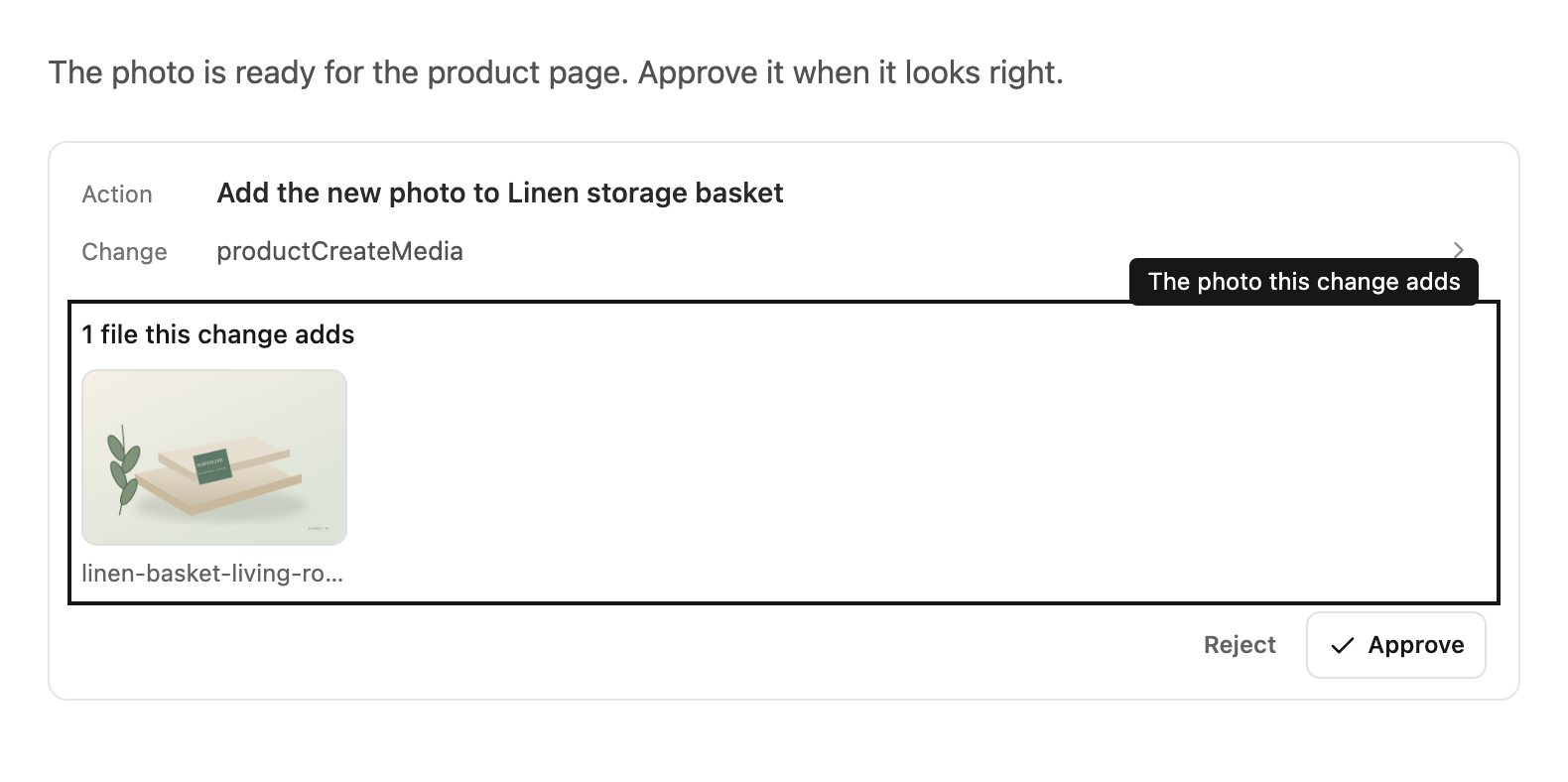
Steward can add images and files from the chat to Shopify, such as a generated product photo or a PDF data sheet. It first uploads the file to Shopify’s temporary upload storage. Nothing changes in the shop until a change uses the file. Adding product images follows your chat mode and approval rules. When a change adds images, the approval card shows a preview of each one.
Uploads only go to storage that Shopify provides for that chat. Files that are never used aren’t published, and Shopify removes them after a while.
Theme files
Steward can change your theme’s storefront translation text, such as the word shown before a starting price. Each change needs approval, also in Automatic mode. Before it changes a file, Steward saves the previous version in the project’s files as shopify-theme-backup-….json. To undo a change, ask Steward to restore that backup.
Changes to theme code, layouts, templates and settings aren’t available yet. Steward prepares the exact change instead, so you can apply it in Shopify’s code editor.
Editing theme files needs the write_themes scope and Shopify’s permission for the app to edit theme files. After Test, the connection card shows whether Theme edits are available.
API coverage
The connector uses Shopify Admin GraphQL API 2026-10. REST, Storefront, and Customer Account APIs are outside this connection. Large operations use managed bulk work.
A returned HTTP 200 can still contain GraphQL errors, field errors or partial results. Review those messages before proposing a correction. A submitted asynchronous job is still running until its status and results confirm completion.