Shopify bulk work
Review complete import inputs, follow durable progress, and download full or partial Shopify results.
Ask for an export or import
Project members use the connections enabled for their project without a separate connection grant. Viewers follow results and download shared files. Contributors ask questions and prepare changes. Managers also approve changes. Chat modes, connection approval rules and the business tool’s own access limits still apply.
Import inputs use private project files. Each JSONL row describes one operation’s input values. Steward validates every row and every operation before anything starts. An invalid or blocked row holds the complete plan.
Review the complete proposal
Some changes start their own Shopify background job. Steward submits those as ordinary requests and tracks their completion separately. Product-set imports run synchronously within each bulk row. Input rows run independently; avoid relying on their execution order.
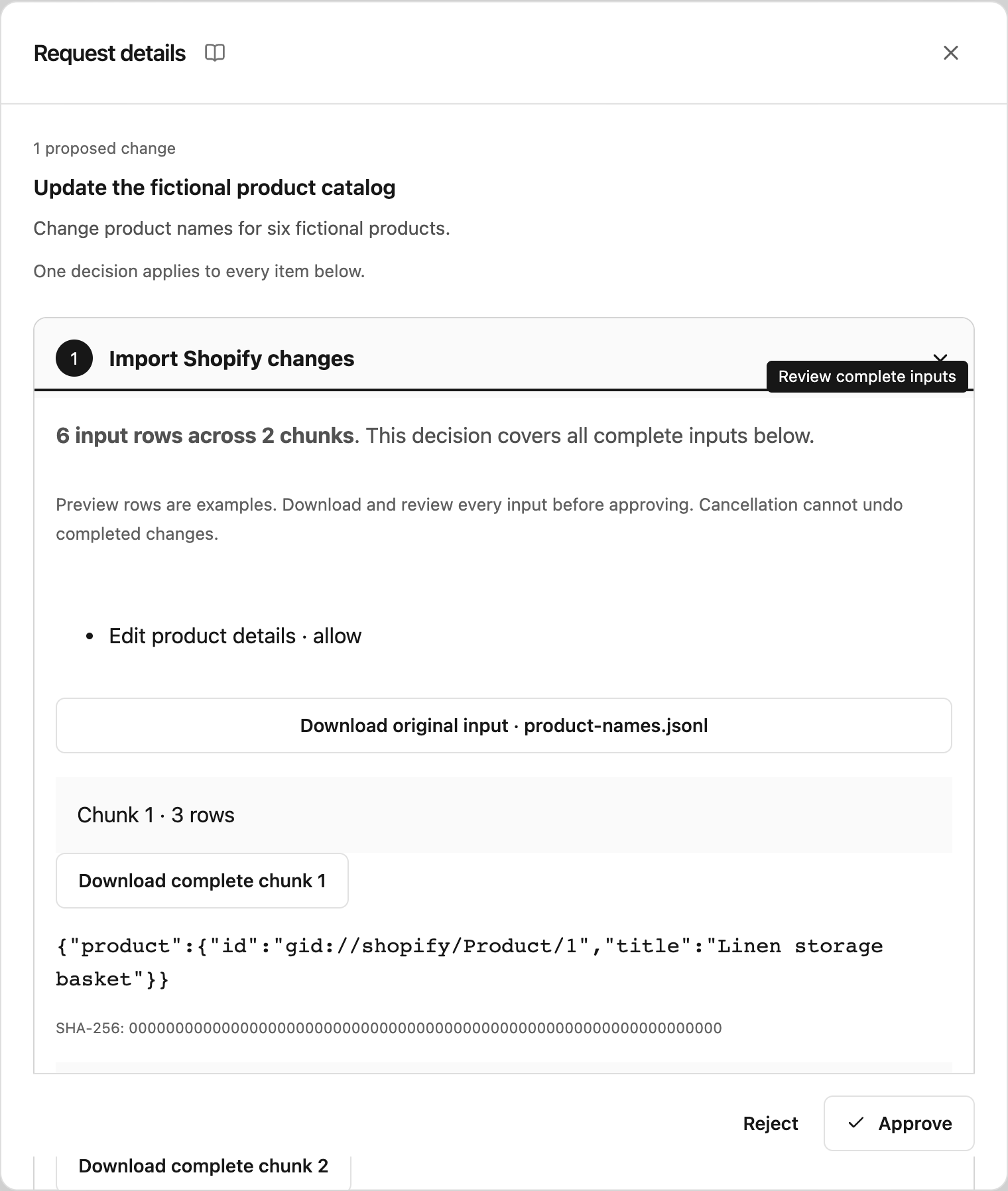
- Open View request details on the approval card.
- Check the total rows, chunk count, business effects, and preview rows.
- Select Download original input and Download complete chunk for every chunk. Check all inputs before approving; previews show only a few examples.
- Approve the complete plan, or reject it with a correction message.
Inputs and outputs are split into files of at most 25 MiB, within the existing file limits. Approval binds the store, exact operation, variables and chunk bytes. Changed inputs or policy require a new proposal.
Follow progress and results
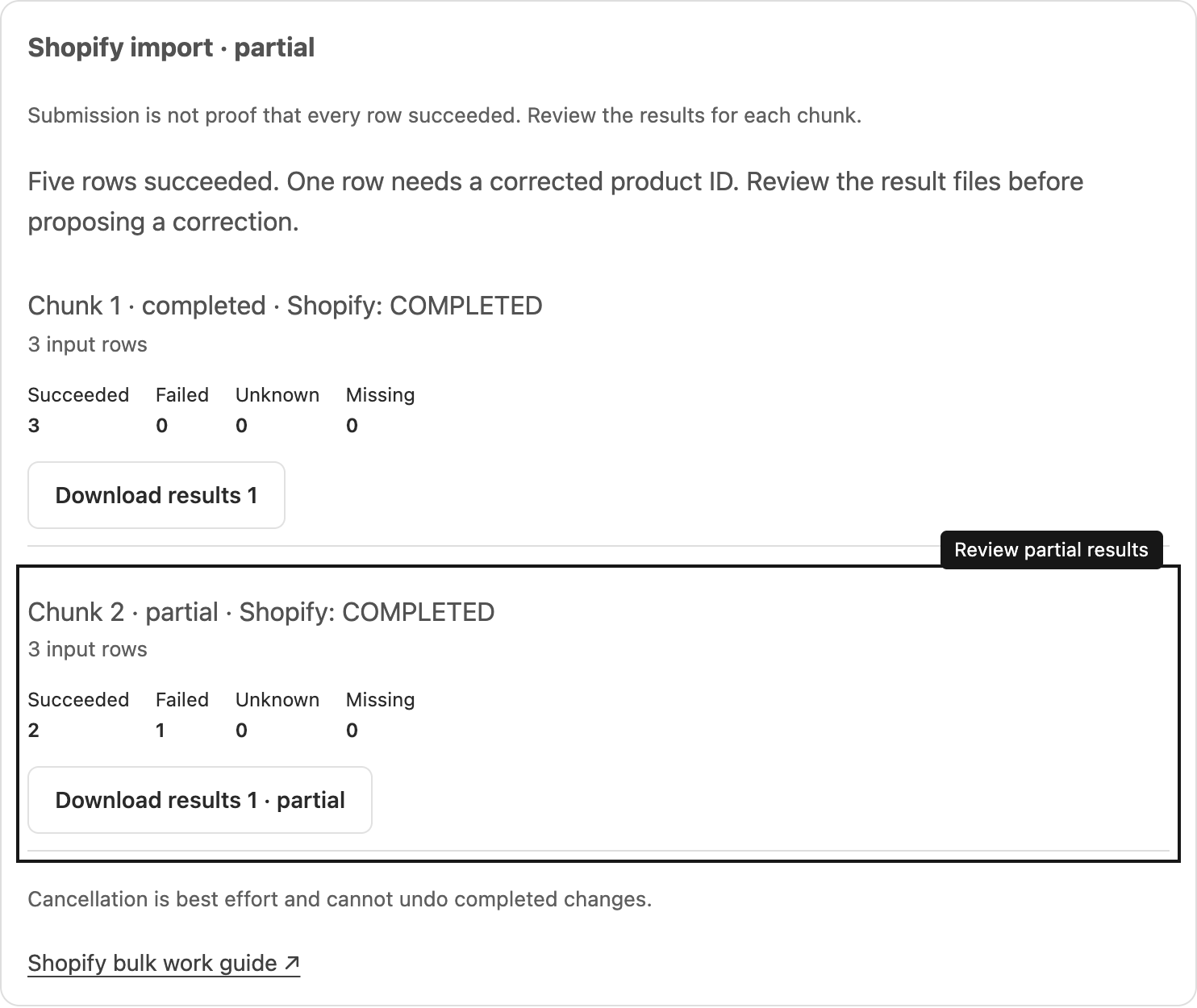
The Shopify job panel reports progress independently of the chat. Closing a browser or ending the chat does not erase the job. It shows each chunk’s status and private result downloads when available.
Submitted or Running means Shopify has accepted work, not that every row succeeded. Review succeeded, failed, unknown and missing counts. Import result rows include their original input row number when Shopify provides enough information to correlate them. Export rows retain Shopify’s parent identifiers for nested records.
Individual order cancellations, payment collection and shipping-label purchases can also report processing failures after submission. Steward waits for their final business status and shows these later errors. A finished background task alone does not confirm that the purchase or cancellation succeeded.
Use Download results for full details. Partial results remain useful but do not describe the entire intended operation. Correct only the failed or unresolved inputs after checking which changes completed.
Cancel remaining work
Select Cancel remaining work if you have the required connection access. Cancellation is best effort: a submitted chunk may finish before Shopify stops it, and completed changes cannot be undone. No additional chunk starts once cancellation is observed.
Interrupted or uncertain work
Steward keeps provider job IDs and checkpoints so a worker can resume polling after a restart. If a submission’s outcome is uncertain, Steward holds it for reconciliation and never automatically submits it again. Ask someone with Configure access to investigate the recorded job IDs before proposing another change.
Shopify result links expire after seven days. Steward downloads available results into private project files; saved parts remain available within your project and connection access. An expired provider link does not trigger another import or export. See Shopify’s bulk import behavior.