Search the web for current information
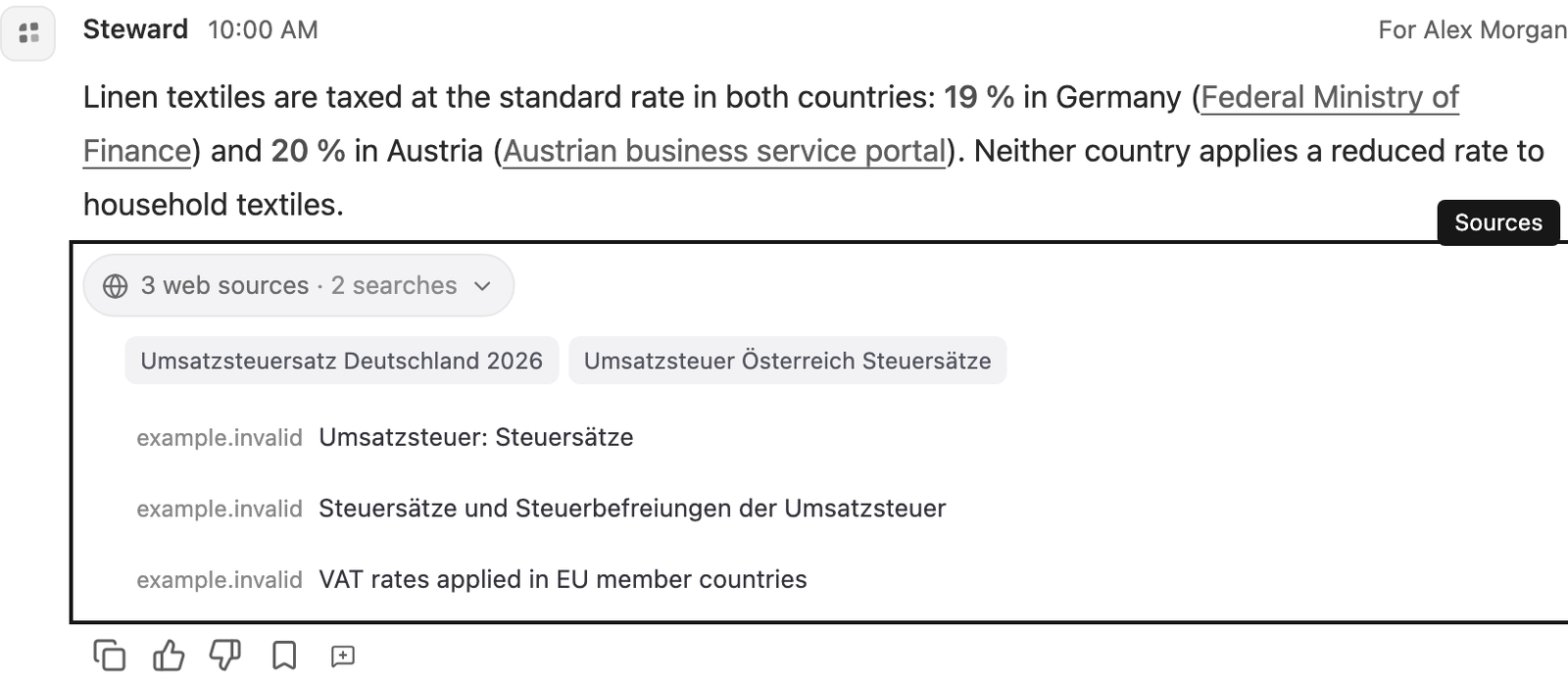
Let Steward check current public facts such as tax rates, exchange rates, prices and regulations, and link to its sources.
Turn web search on or off
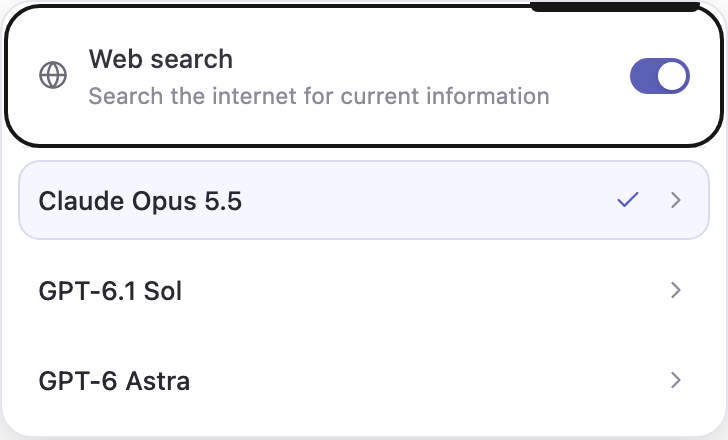
Web search is on by default for every chat. In the message composer, select Model and thinking level. The Web search switch sits at the top of the menu, above the models. Turn it off to keep a chat to your own data and Steward’s built-in knowledge. A globe beside the model name shows that web search is on.
The choice is saved with the chat and applies from the next request. A run already in progress keeps its setting. Contributor or Manager access is required to change it. All models support web search.
What Steward searches for
You don’t need a special command. Steward searches when an answer depends on public facts that may have changed. Examples:
- tax rates and e-invoicing rules
- exchange rates, interest rates and economic figures
- supplier, competitor and carrier prices
- regulations, public holidays and deadlines
- company facts
- current versions of public software
To make sure it checks, say so: “Search the web for…”. To keep an answer offline, say: “Without searching the web…”.
Steward combines several searches into one quick step. It prefers official sources, such as government sites, regulators and vendor documentation, and it can open a page to read the exact figure.
Your own business data still comes from your project connections and project files, not from the web. Web search never changes anything in your systems. Any change Steward prepares still follows your permission mode and approval rules.
Check the sources
Facts from the web are linked in the answer to the page that supports them. Under the answer, select the sources list (for example 3 web sources · 2 searches) to see the searches Steward ran and every page it used. Links open in a new tab.
Web pages can be outdated or wrong. Check important figures, such as a tax rate you plan to apply, against the linked official source before you rely on them.
What is sent to the search provider
Searches are run by Parallel, an external search provider, with zero data retention. Only short search terms and a general description of what Steward is looking for are sent. They contain no chat history, files or connection data.
Steward is instructed never to put private details in searches, such as people’s names, email addresses, phone numbers, order or invoice numbers, or amounts from your records. Searches that contain email addresses, phone numbers, IBANs or card numbers are blocked before they leave Business Steward. Public company names are allowed when you ask about that company, a supplier or a competitor.
Limits
Each web step returns a bounded amount of text. For long documents, Steward reads the relevant parts rather than the whole page. Pages behind a login are not available.
If web search is temporarily unavailable, Steward says so and answers from what it already knows, with a note about recency.