Always review selected changes
Require approval for particular operations, including in Automatic mode.
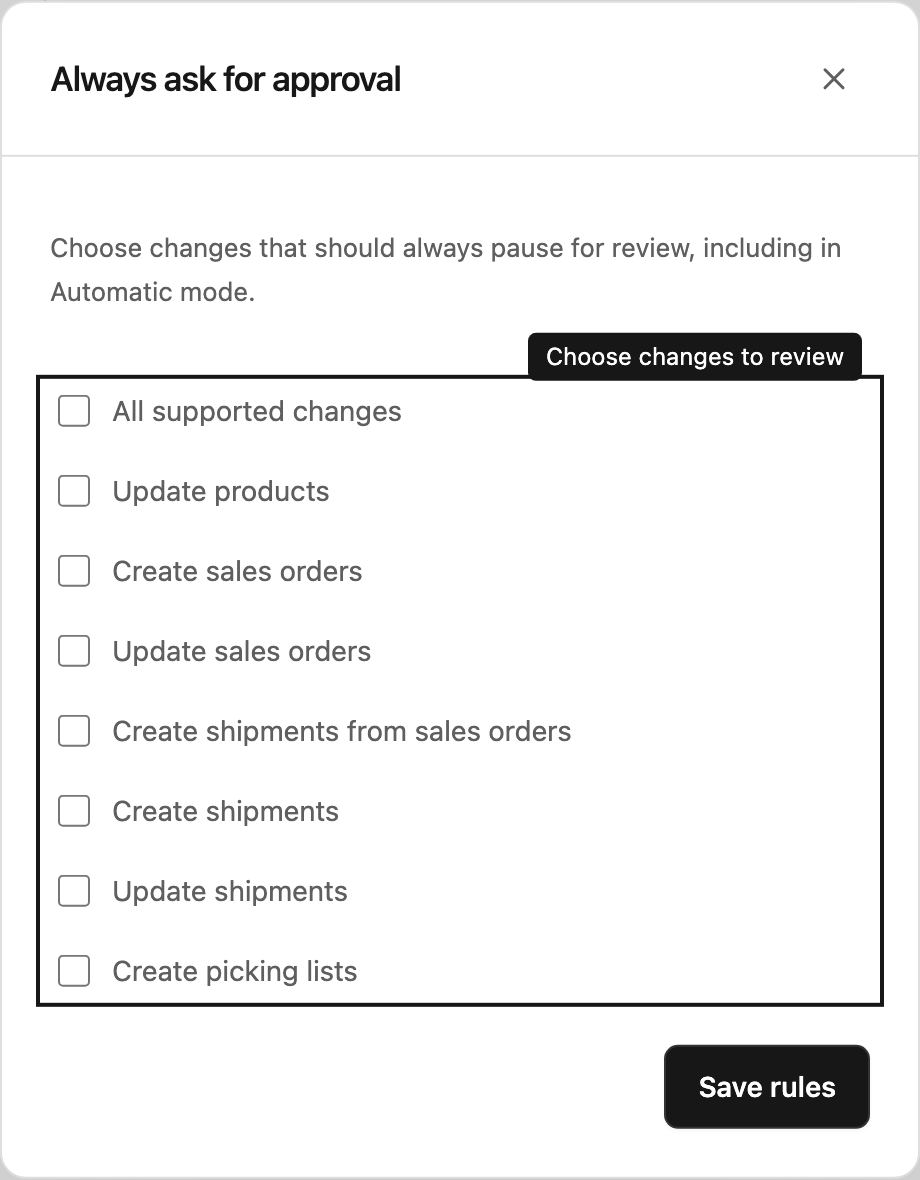
Decide what always needs a second look
Some changes should always pause for review. A connection’s approval rules can require that review even when someone chooses Automatic in a chat.
These rules belong to the connection, so they apply wherever that connection is used. They do not grant anyone permission to make or approve changes.
Open the rules
Go to Settings → Connections and select Approval rules on the connection. You need Configure permission, or workspace owner or administrator access.
The dialog is called Always ask for approval. Select the changes you want reviewed, then select Save rules.
Choose the changes to review
Select All supported changes to require review for every supported change on this connection. Otherwise choose specific actions such as Update products, Create sales orders or Create picking lists. The choices are already filled in; no API identifiers are needed. Leave every choice unchecked to follow the chat mode and any global rules.
These rules match kinds of changes. They do not add conditions based on amounts or field values.
Understand the effect
Read only continues to prevent connected-tool changes. Ask for approval already requires review for permitted changes. Automatic can proceed without a decision only when no applicable rule requires approval.
If any operation in a batch requires review, review applies to the whole batch. The approver decides on that exact prepared set of changes.
Update rules thoughtfully
Tell the people who use the connection when its review requirements change. If a chat pauses unexpectedly, check its mode and these rules before assuming something has gone wrong.
Use Review and decide on proposed changes to understand the decision card and execution results.
If Steward holds an unfamiliar request before a proposal exists, see Understand requests held for review for how to arrange support and retry it.
Global API defaults
Supported reads and changes follow your current permissions. Some requests may be blocked or require approval even in Automatic mode. Your connection’s approval rules can add review requirements for that account. See requests held for review for what to do when a request cannot proceed.