Give Steward useful context
Use project instructions, chat notes, and conversation summaries to keep work on track.
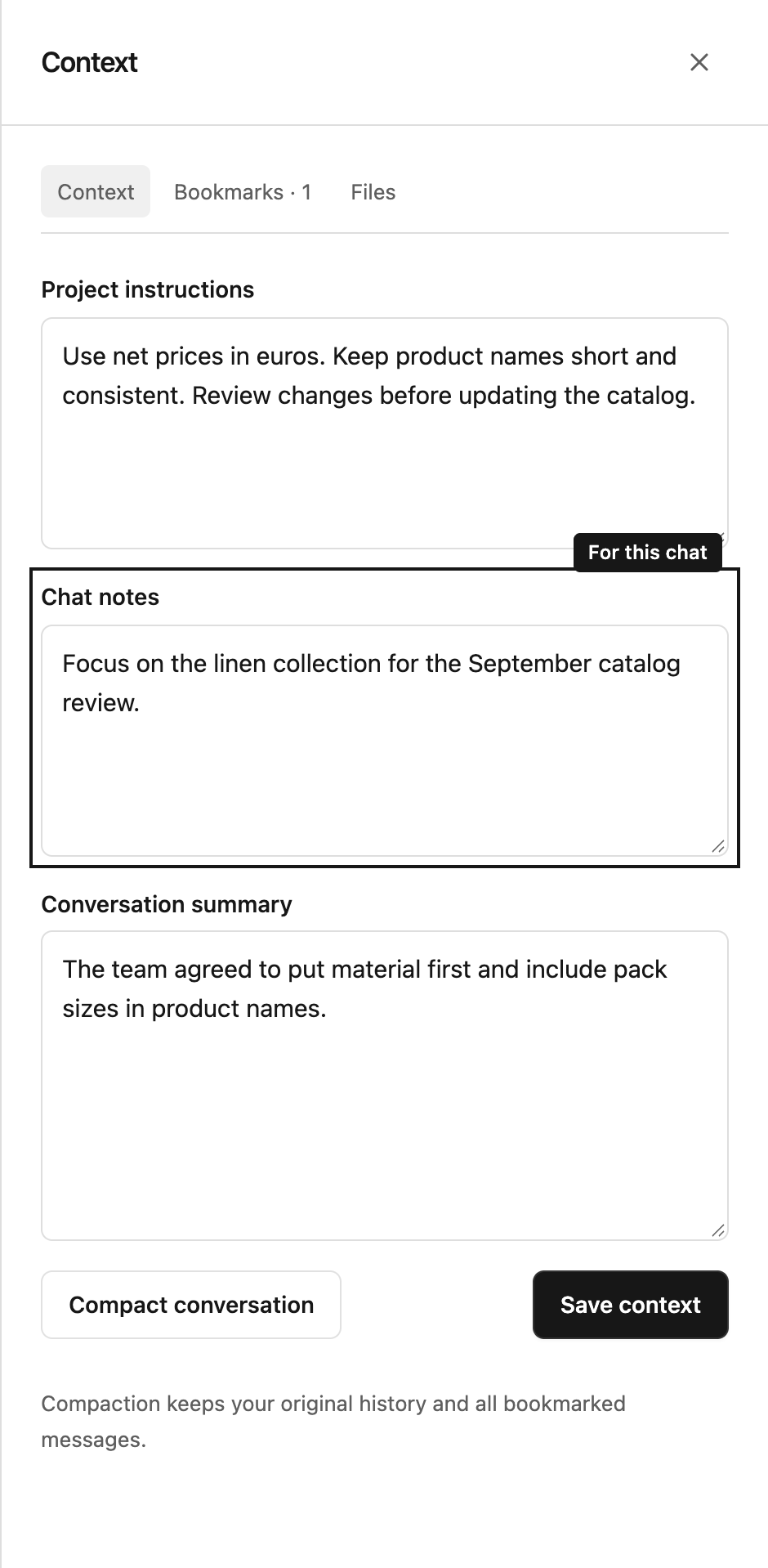
Choose where the information belongs
Some guidance belongs to the whole project; some only applies to one conversation. Keep it in the right place so future answers use the right background.
| Place | Best for | Who can change it |
|---|---|---|
| Project instructions | Shared rules, terminology, reporting preferences | Project managers |
| Chat notes | Background for this particular conversation | Contributors and managers |
| Conversation summary | A shorter account of earlier discussion | Contributors and managers |
| Bookmarks | A specific message you want retained in full | Contributors and managers |
Project members can see this context. Keep private unfinished thoughts in your draft until you are ready to share them.
Add or update context
- Open a chat and select Chat context in its header.
- In the Context tab, review Project instructions, Chat notes, and Conversation summary.
- Make your changes and select Save context.
A manager can also edit shared instructions in Project actions → Configure → Details. A change there affects other chats in the project too.
Shorten a long conversation
Select Compact conversation to create a shorter summary for continued work. Steward may also summarize a long conversation when needed.
Compaction keeps the original history and full bookmarked messages. The summary helps Steward continue without having to work through every earlier detail each time. Review it in Context and correct anything that needs to be clearer.
Keep context practical
Write brief, specific guidance: “Exclude cancelled orders from monthly totals” is more useful than “Be accurate.” Use bookmarks for an exact decision or detailed explanation you want to preserve.
If the context changes elsewhere while you are editing, Steward may ask you to review the newer version. Check it before saving so you do not overwrite a colleague’s changes unintentionally.